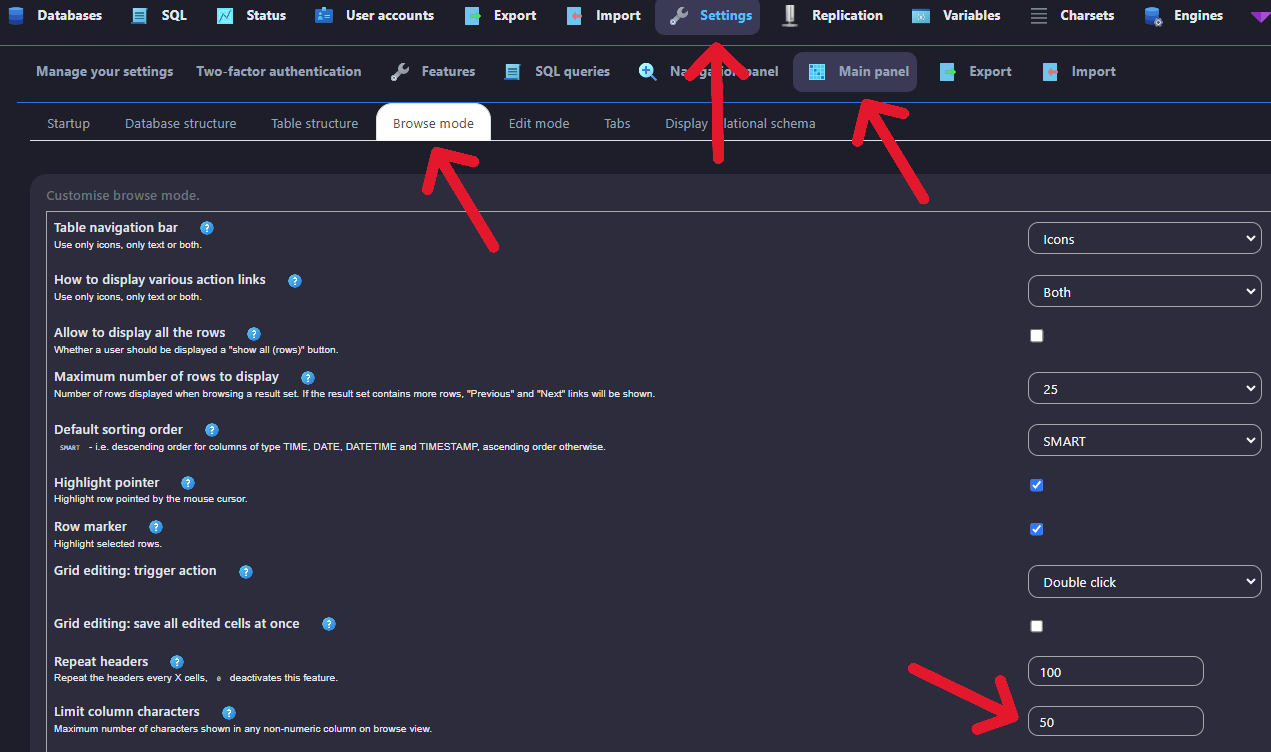
phpMyAdmin Column Character Limit
How to set the maximum number of characters shown in any non-numeric column on browse view:
1.First of all make sure you are in phpMyAdmin after that you can confirm you haven’t selected any database and you are inside the main server page.
2.Click on the Home icon, positioned beneath phpMyAdmin in the upper-left corner.
3.Click on Settings
4.Now move to Main Panel Page
5.Select tab Browse Mode
6.Change Limit column Characters from 50 to your desired number.