
PHPMyAdmin Login Timeout
How to Increase the Login Timeout in PHPMyAdmin
By default, phpMyAdmin will log you out after 1440 seconds and display the following message:
No activity within 1440 seconds ; please log in again (24 minutes)
This situation can be quite inconvenient, if you are in the middle of working on something. The following guide will take you through the steps to extend your phpMyAdmin session timeout.
Step 1: Using the phpMyAdmin GUI
You can increase the session timeout in phpMyAdmin simply by following these steps:
1.Login to phpMyAdmin
2.Select Settings from the top navigation bar
3.Click Features
4.Under General tab
5.Locate the Login cookie validity field
6.Change the value for this field to something greater than 1440 seconds (24 minutes), for example 86400 is 24 hours.
Step2: Edit the php.ini Configuration File
The actual session validity may be limited by the PHP configuration option session.gc_maxlifetime. If the session expires or is lost, the login cookie will also become invalid.
To ensure consistent session and cookie validity, set session.gc_maxlifetime to a value equal to or greater than $cfg['LoginCookieValidity']. This alignment prevents premature session expiration while the login cookie remains valid.
1.Check the PHP version of phpMyAdmin is using by logging into phpMyAdmin Home Page and check the version under Web server.
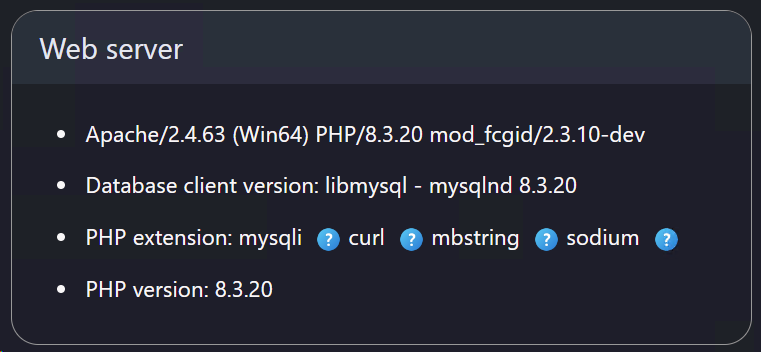
2.This setting can be found in file php.ini located in the directory path C:\wamp64\bin\php\php8.3.20 and the default is 1440 (24 minutes). Change this to for example 86400 which is 24 hours.
Step3: Edit the Apache Module php.ini Configuration File
Also, the setting session.gc_maxlifetime is found in the php.ini [apache module] and is easily accessible using the the following method:
1.Left click the WampServer tray icon
2.Hoover mouse over PHP
3.Click on php.ini [apache module]
4.Search for session.gc_maxlifetime
5.Change this from 1440 to 86400
6.Restart the WampServer services by right clicking the tray icon and selecting Restart from zero
Topic last reviewed: 27/01/26