
Uploading Data
Standardised File Naming
TBA
WinSCP File Transfer Utility
Download and install WinSCP from URL:
https://winscp.net/eng/download.php
FileZilla File Transfer Utility
Download and install FileZilla from URL:
https://filezilla-project.org/download.php?type=client
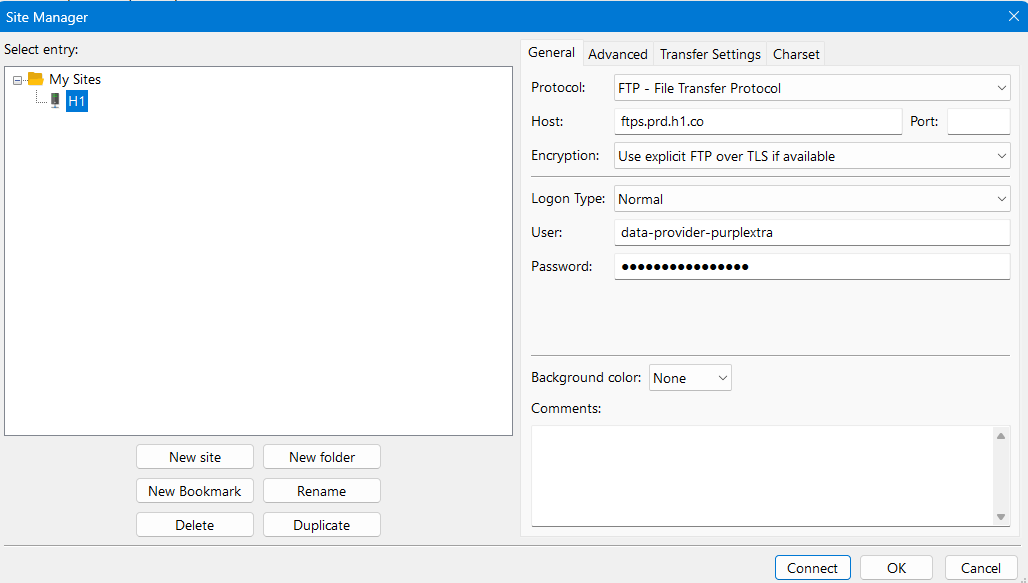
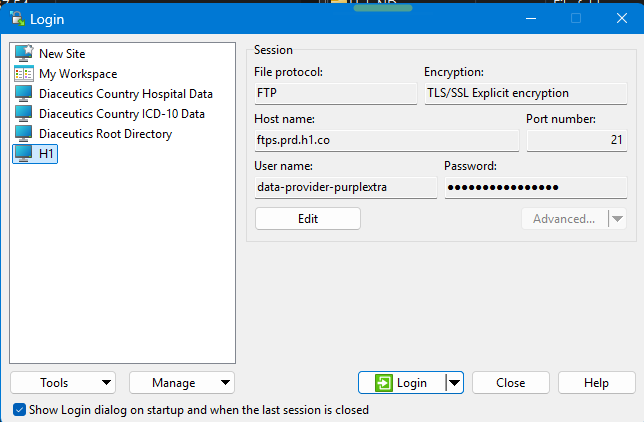
Protocol: FTP
Host: ftps.prd.h1.co
Encryption: Use explicit FTP over TLS
User: data-provider-purplextra
Password: DhHNq@Dt@Ge7XilP
Port: 21 (Leave blank when configuring FileZilla)
Below screenshot with FileZilla settings:
Below screenshot with WinSCP settings:
That's all there is to it.
Topic last reviewed: 19/12/25