Procedures
Fundamentals & Key Information
ℹ️ The Finnish healthcare system is managed through designated Welfare Regions, which differ from the country's geographical regions. For further information, please consult section Healthcare System
ℹ️ Data on procedures is gathered from both public and private healthcare sectors.
ℹ️ The Finnish procedure codes are based on the NOMESCO code set but include a significantly larger number of codes. The difference being NOMESCO are typically five characters long, consisting of three letters followed by two digits and the ranges beginning with the letters I and O are not used.
ℹ️ A reference manual in the form of a PDF on Finnish surgery and procedure codes can be found at the following URL:
Click on the webpage link Nomesco - Finnish version that is found under the section called Operation and procedure codes and the PDF will load.
Data Gathering & Processing Steps
Step 1:
Aim is to build a reference table called step_1_finnish_procedure_codes which contains all the Finnish official procedure codes. We want the table to contain four columns:
table last updated
code
english_decription
finnish_description
This table will contain the data from a file obtained from the following URL:
Download the latest Excel verion of THL - Toimenpideluokitus which is found under the Publications tab and then follow the steps below to integrate it into WampServer.
Open the Excel document and check it contains nearly 12,000 rows of information
Delete from the copied worksheet all the columns except for CodeId and LongName
Save the Excel document
Save the document as for example translation.xlxs
Delete the CodeId column and save
Translate the translation.xlxs document using Google Translate. Then save and open.
Open the orignal Excel document that has the columns CodeId and LongName
Rename these to code and finnish_description
Copy the translated column and insert it between the code / finnish_description columns and save as a CSV file
Import the CSV file your WampServer Finnish database
Rename the table to finnish_procedure_codes
Populate the table last updated column with today's date
Step 2:
Build a table called finnish_year which consists of two columns:
year
year_code
To get the Finnish year codes load the following URL:
Provides this page (Note! has been translated)
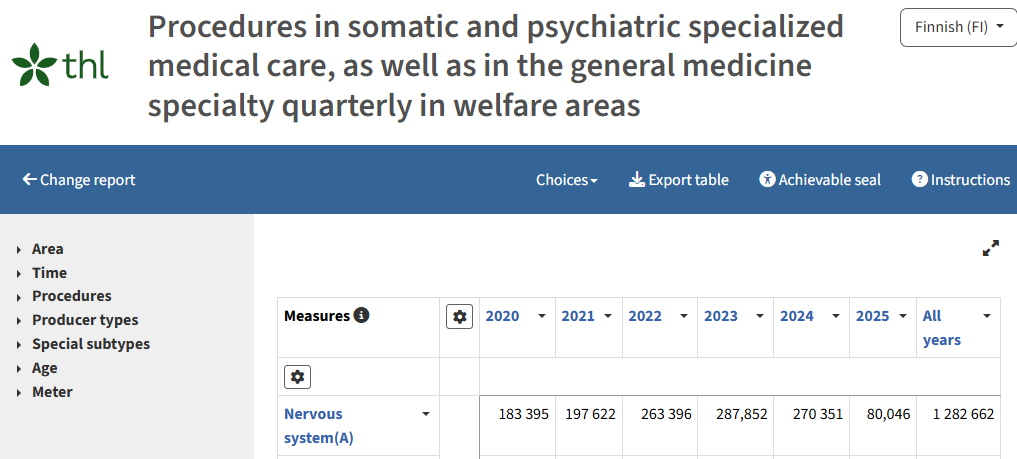
Click on the cog by the first year
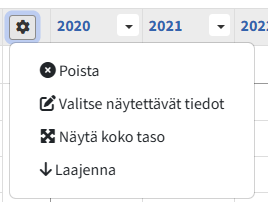
Select Valitse näytettävät tiedot (Select the information to display). In the pop-up window, click once on All Years (Kaikki vuodet) in the bottom-right section to remove it. Then select ‘Enable’ (located in the bottom-right corner). The webpage will update as shown below:
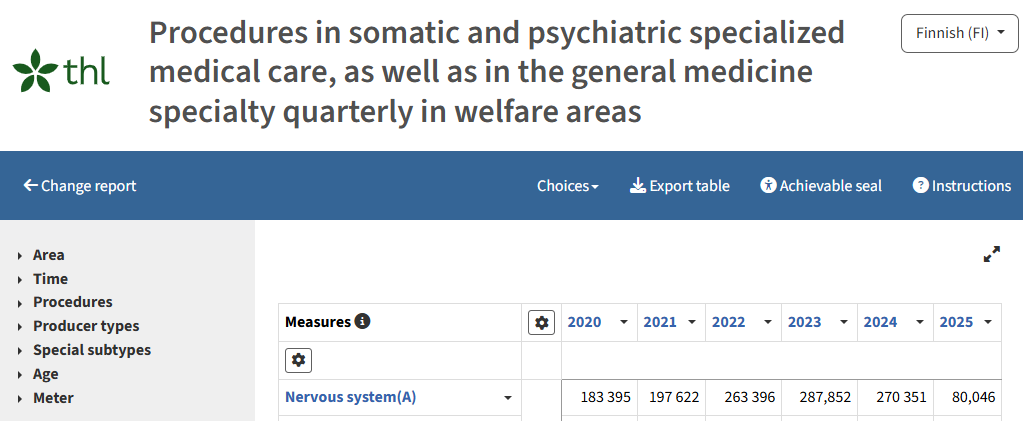
Now look at your browser's address bar field and you will see:

Click inside the address bar

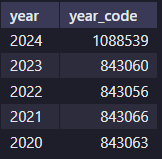
The year codes appear at the end of the 'yearquarter' text string and are separated by a period. The sequence runs left to right, with 2020 corresponding to 843063, 2021 to 843066, and so on. Input this mapping into your WampServer MySQL table named finnish_year see example below:
Step 3:
Get the Finnish procedure codes for the purpose from the following URL:
Provides this page (Note! has been translated)
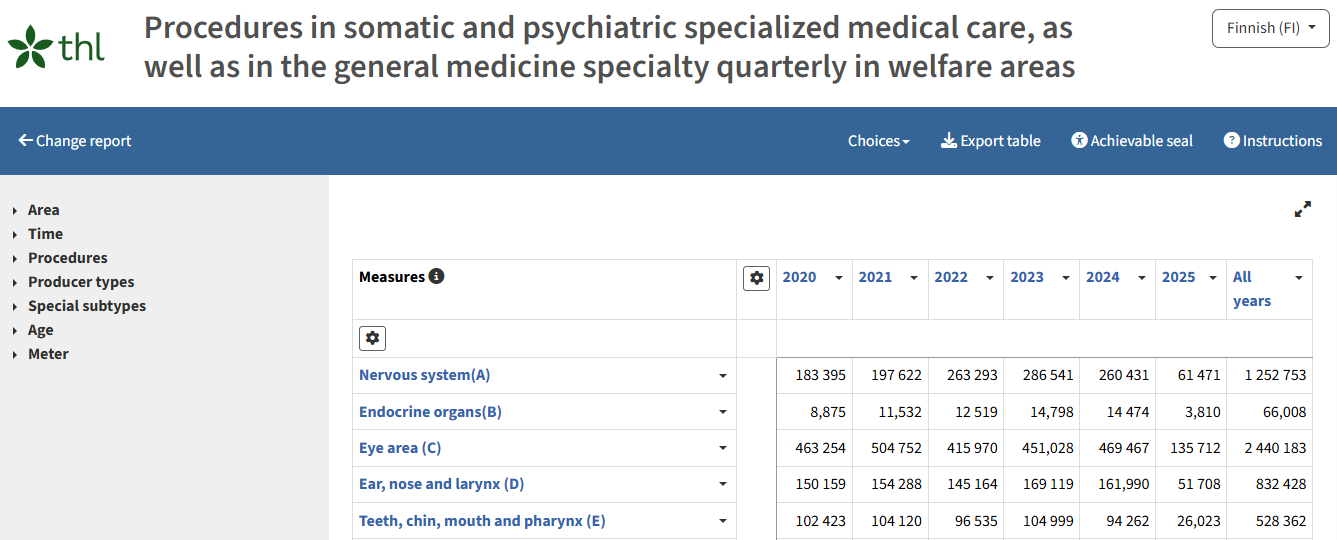
Click on the cog by the first year
Select Valitse näytettävät tiedot (Select the information to display), Delete All, click on All Years followed by Enable (located bottom right). Webpage becomes, see below:
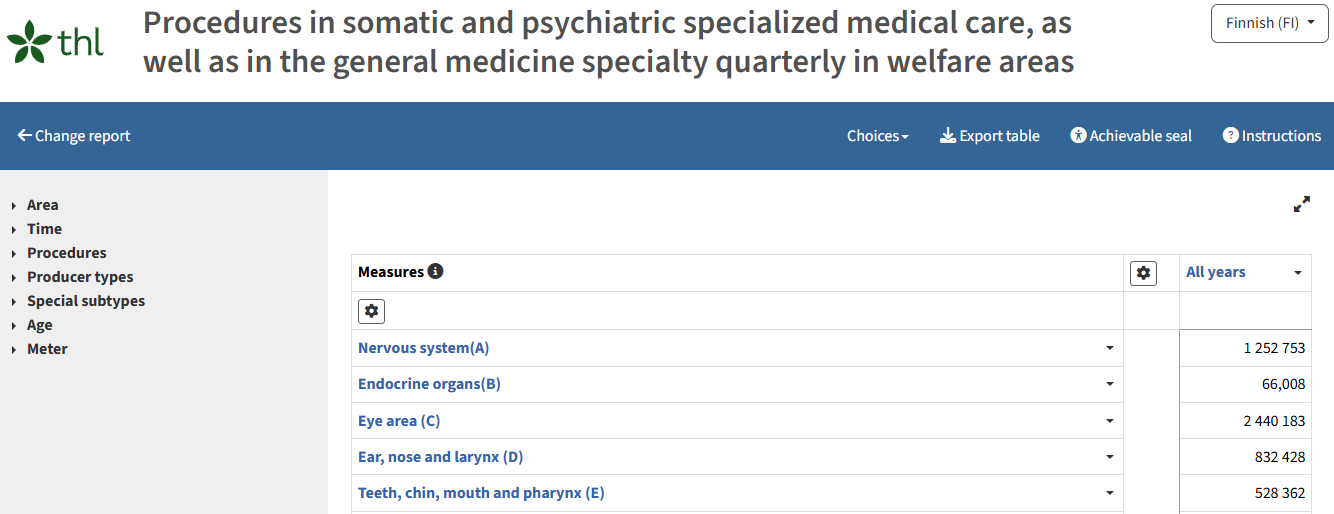
Click on cog under Patients (Potilaat)
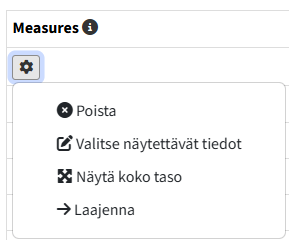
Select Näytä koko taso (Show full level) and wait for the webpage to automatically refresh. Will have do repeat (approximately three times) to finally get the full five character length. A valid example of a code is at full length is C02.10&, see below:
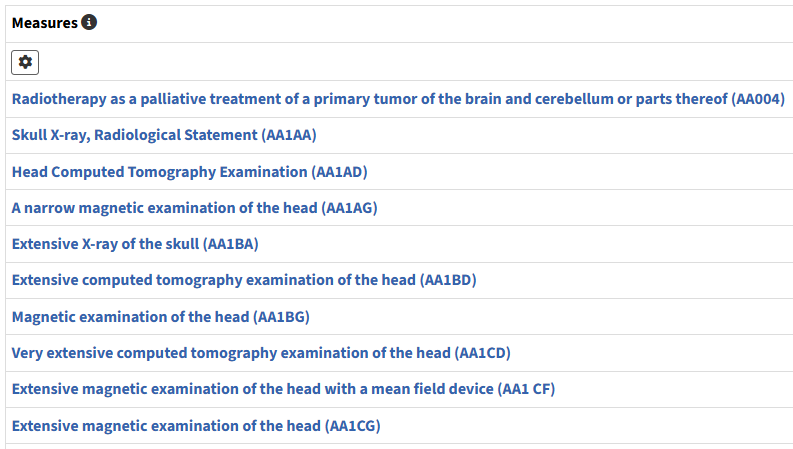
Right click on webpage and select View Page Source, see below:
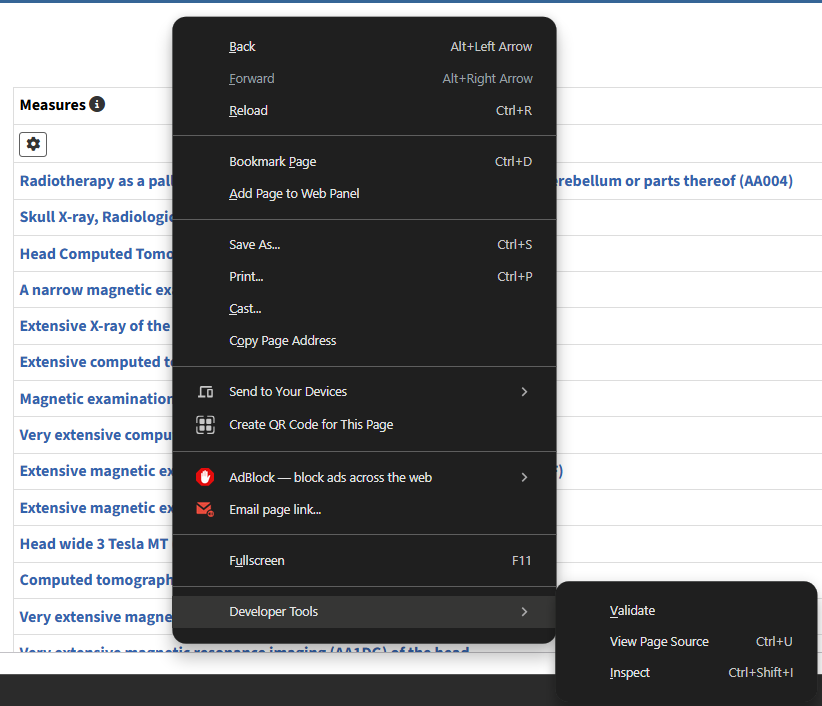
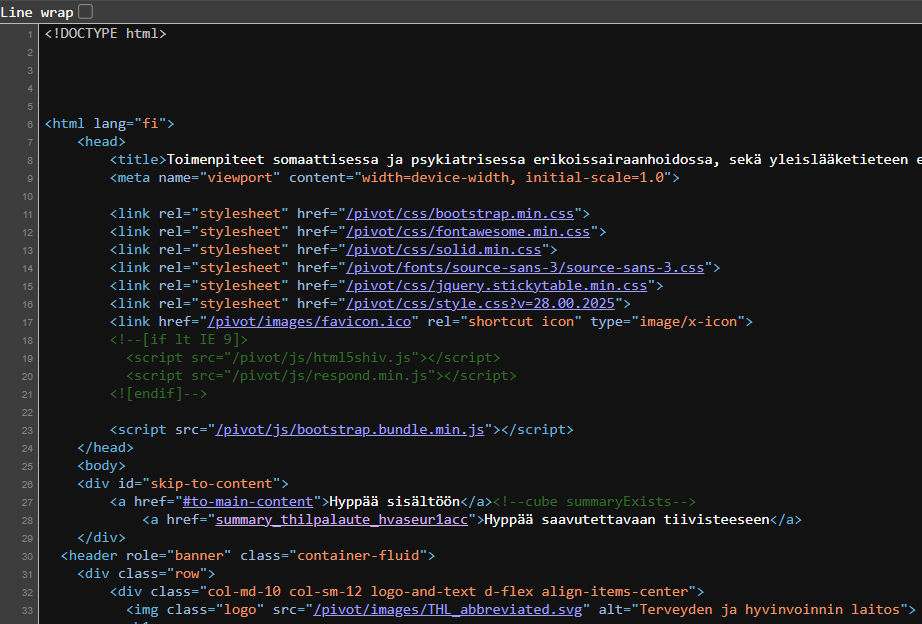
And you will see something like this:
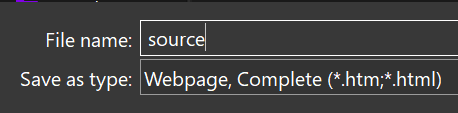
Next right click anywhere on the page and save as source, below is a screenshot:
Run Step 3 - Retreive Finnish procedure codes from webpage v0.1.php
This code extracts the Finnish procedure codes and stores these in an SQL table step_3_grabbed_finnish_codes and then vadilates the code against Step 1 table
Step 3 table columns are:
table last updated
finnish_code (numercial code representing the procedure code and is used when fetching the cases)
code (Finnish procedure code)
description (Finnish code description)
valid
Included within the PHP code are various checks:
- Checks for any code duplications and will displaying a warning message
- Displays some statistical information
Step 4:
Run Step 4 - Grab procedure cases from URL v0.2.php and this will capture the code with cases per wellfare region. Will also deal with the Finnish small case policy which is represented by ".." <5.
Step 5 N/A:
Run Step 3 - Clean and match ICD10 with PurpleXtra db v0.2.php
Step 5:
Construction of the step_5_distribution_frequencies table
Prerequisite
Require SQL table (hospital_beds) which contains PurpleXtra serial numbers with associated bed numbers .
Note!
- Don't include if facility has zero beds so if there are any remove them.
- Don't inculde rehabilitation or geriatric hospitals as when distributing the area or health region data between the hospitals we don't want heart surgery or cancer treatment codes / cases being allocated to rehabilitation facilities.
https://stat.fi/en/luokitukset/maakunta/ - Website This website URL takes you to the most current year with names of official Finnish regions, can download csv and import into WampServer, there are 19 as of 2025
You can now seamlessly work within a spreadsheet, whether in Google Sheets or Microsoft Excel. The goal is to create a distribution frequency table based on hospital size within each region. Follow the steps below to accomplish this:
1.Paste the first region name into the first column of a google spreadsheet.
2.Search the region name in the SQL table by going into the search section and typing the region name into the column county.

the names in the tables may be slightly different than the ones on the website, to fix this go to SQL and run:
SELECT DISTINCT(`county`) FROM `name of table` WHERE 1
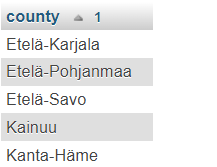
Etelä-Karjala is the same as Etelä-Karjalan so you may need to search Etelä-Karjala to find the data displayed in the table.
3.After searching your region, something like this will come up:

For Finland, the serial number (in the first column) will start with 358. On the right you will see the bed count.
4.Then link up the hospital serial number with the region, and the number of beds making sure that the beds go from largest to smallest. The serial number with the most beds will be at the top of that region and the bed numbers will decrease as they go down the region. Repeat for all regions found through the link.
5.In googl e spreadsheets, highlight all the beds in the region and click this symbol on the far right side of the menu bar
 this one
select the sum option and press enter, this will display the sum of all the highlighted numbers.
6.In the column to the right (column D in example), type out a "+" then the box that has the largest number of beds in the region, then a "/" then the box the total is in with a "$" in the middle. For example type "+c2/c$6"
7.After this has been calculated then click the circle at the bottom right of the selected box:
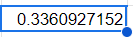 then drag down to the same row as the total beds, this displays the proportion of the beds that this hospital owns in the region.
8.In the column to the right (column E in example), name it start and then put a 0 in the box below. To the right of the 0 (column E in example) name it end and in the box below, write out a "+" and the box the 0 was placed in + the box to the left of the 0, for example +e2+d2. Do the same for the box below the 0 and then drag both columns down.
For example:
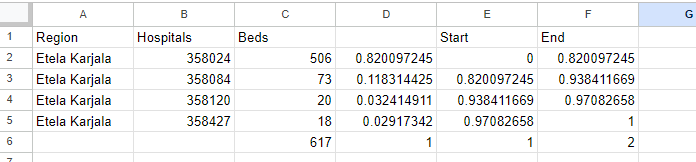
In order to find the proportion of beds that a single hospital has in its region, simply take away the start value away from the end value.
9.You will then need to download this file as an excel file and save it with the name prototype.
10.Then go into files and copy the downloaded file. Paste this file into an email and preview the file in the email.
11.Then copy all the data in the preview of the email and paste into a blank google sheet.
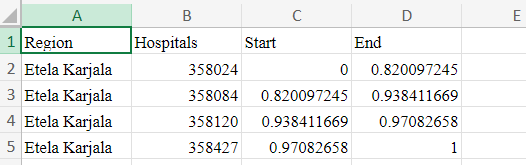
12.You can then delete the column named beds and the column with no name (column c and d in the example). Then delete the row that contains the total bed numbers (row 6 in the example).
13.To do this, click on the letter of the column you want to delete and go into edit. Click on delete, and then click delete column. You can manually delete rows. Then save this as your final copy
Example:
Step 6:
Run PHP file Step 6 - Distribute Regional ICD10 Data Between Hospitals v0.6.php this is based upon the following rules:
Distribute codes starting with an `I` go to psychiatric (Type C) hospitals
Distribute all other codes to other hospitals including if `I` codes if no psychiatric where found in region
Step 7:
Run PHP file Step 7- Process duplicates & populate region column v0.2.php
Creates a new table thats starts with step_7_procedures_xxxx where xxxx is the year
In order to populate the region the reference table called hospital_from_purplextra_db
Processes any duplicates and these are usually codes that start with an `I` (psychiatric) as these hospitals are found to be shared across geographic regions.
Populates the region column
Checks for any blank, NULL, and zero values in table
Topic last reviewed: 18/06/25