Installation Guide
Installation files are obtained from:
https://wampserver.aviatechno.net
1. Under webpage section called Tools download and run the file to check if the VC++ packages needed to run WampServer 3 are installed correctly. Do not use a previously loaded tool. Always make a new download to make sure you are using the correct version. After running the tool it will notify you of any missing VC++ packages. Make a note of these and download / install them from the webpage section called Visual C++ Redistributable Packages
2. Download and run the current Wampserver full install version.
3. Download and run any addons that are required, for example updated versions of PHP or MySQL.
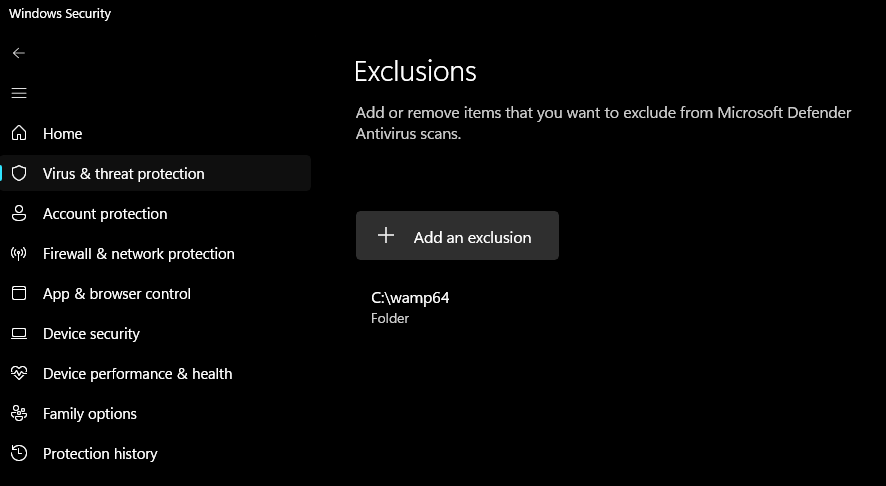
4. After install exclude WampServer installation directory (normaly C:\wamp64) from your virus scanner. In Windows 11 this is called Microsoft Defender Antivirus and the directory is added as an exclusion, see screenshot below: