
Adding Countries Procedure
Adding More Countries
Below is a screenshot of our backend website:
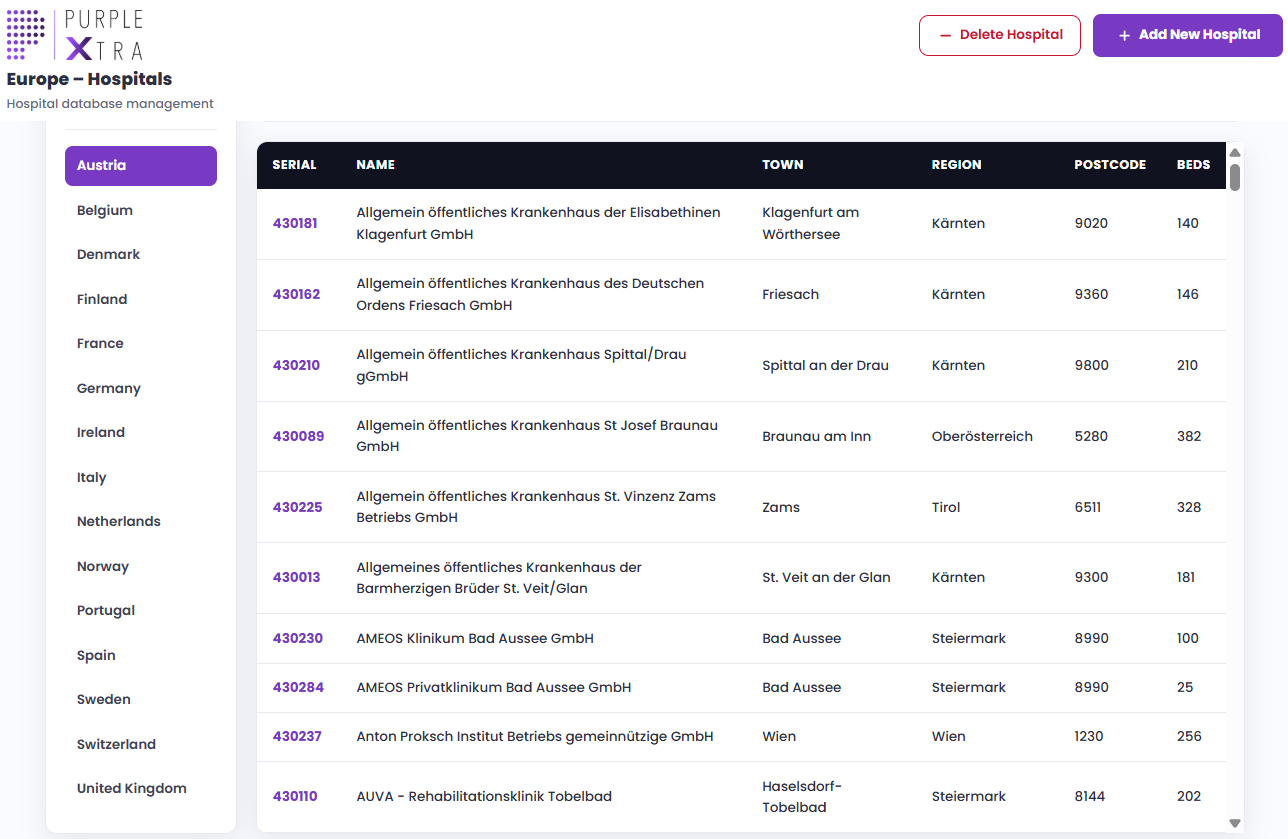
Going forward, for this topic, we shall use 'Zebedee' as the name of the new country.
Prerequisites
Before precoding ensure the following steps have been fulfilled.
1.The following MySQL tables need to be present:
○diag_zebedee (hospital ICD-10 case data by year)
○diag_zebedee_all (hospital ICD-10 case data by year)
○hospitals_zebedee (hospital ICD-10 case data by year)
○hospital_summary_3_zebedee (used in front-end report generation )
2.Add the country postcodes to the postcodes MySQL table.
3.The new country's record serials will be automatically recognised, so no action is required.
4.Deleting a hospital record may bring up the JavaScript error: Invalid or unknown country xxxx. This has been fixed, but it should be checked again when adding another new country.
5.Adding a hospital record works fine without any adjustments.
6.Upload hospitals_new.html (found under [website root folder]\europe) to your AI agent and say that you wish to add a new country, for example, Zebedee. AI adds a one line to the hospitals_new.html and for this example <li data-country="Zebedee">Zebedee</li> is added to the Countries list (around line 147).
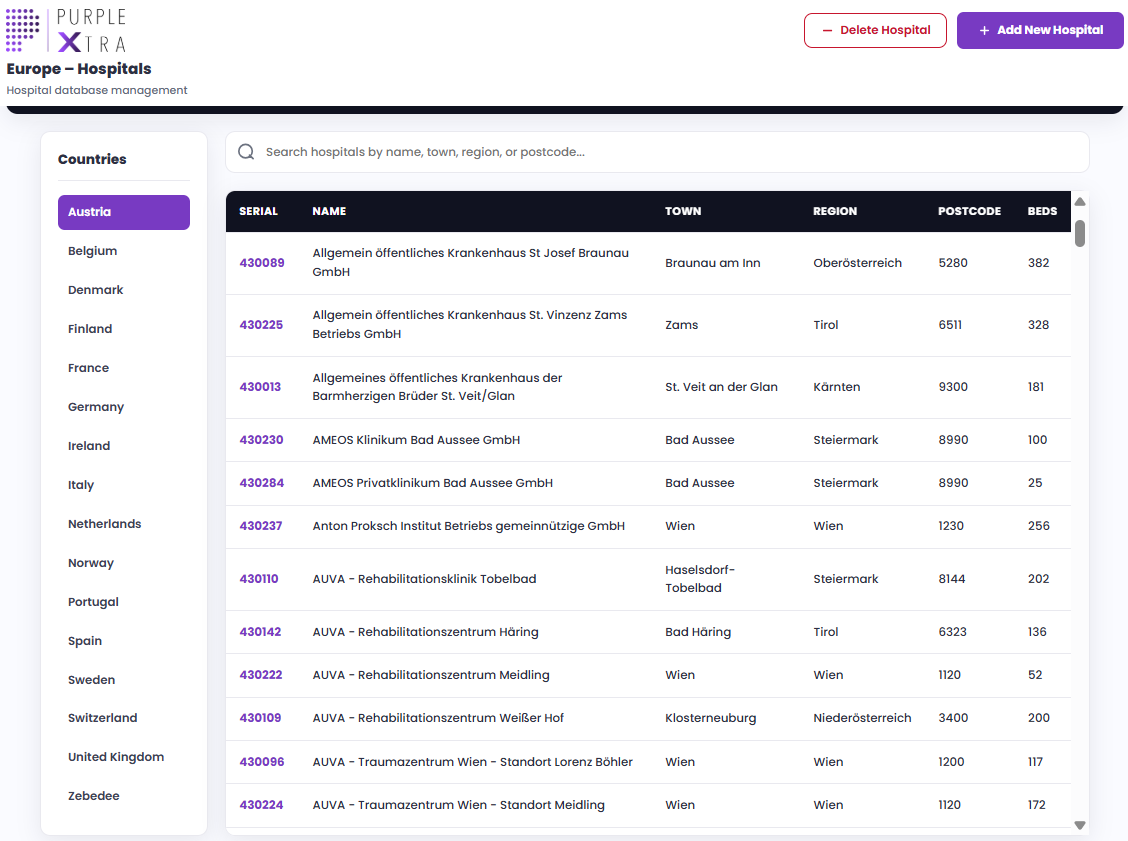
7.Note! The United Kingdom is treated slightly differently because it uses a separate postcode table. This is due to the number of UK postcodes and their different format compared with those used across the rest of Europe. It is not for backend performance reasons. Going forward, when a new country is added, its postcodes should be added to the postcodes MySQL table and not to ukpostcodes.
Topic last reviewed: 06/10/26